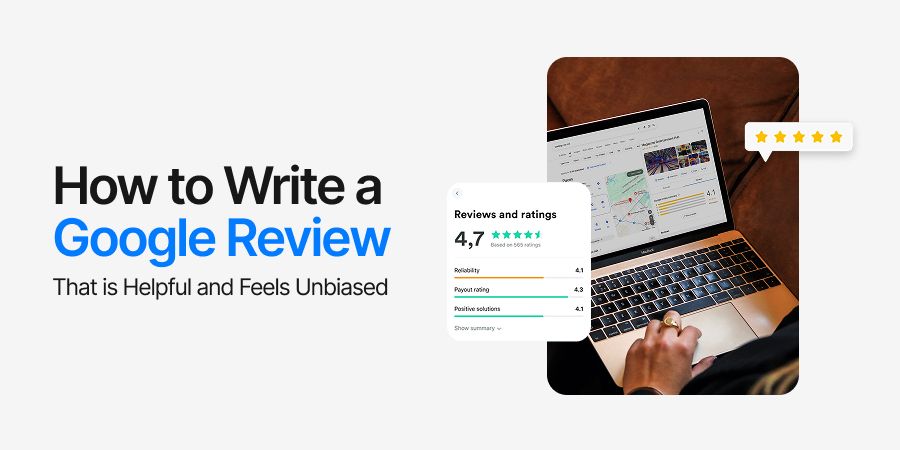
How to Write a Google Review That is Helpful and Feels Unbiased
Have you ever stopped yourself mid-scroll and thought, “Do people even read these reviews?”
The truth is they do, and more often than you think. A single Google review can tip the scale between someone choosing your business or passing it over entirely.
People trust reviews more than glossy ads or polished brand statements. They want raw, unfiltered experiences written by other customers.
According to BrightLocal, over 84% of people trust online reviews as much as personal recommendations. That’s a staggering number, showing how much power sits in a few lines of text and a star rating.
The real challenge comes when you sit down to write one yourself.
- Should it be short and snappy?
- Do details matter?
- Will adding a photo help?
Writing a Google review is simple in practice, but impactful reviews require clarity, context, and honesty.
What this guide covers.
- A step-by-step breakdown of how to write a Google review
- Examples that show what strong reviews look like
- Why reviews matter for both customers and businesses
Step by Step Process of How to Write a Google Review
Ever wondered why some Google reviews sound persuasive and others fade into the background?
The difference usually lies in structure. A strong review feels clear, balanced, and specific enough to help both the business and future customers.
Here is a straightforward process anyone can follow:
-
Sign in to Google
Open Google Maps or Search, log into your Google account, and look for the business you want to review. Without signing in, your feedback won’t be tied to a visible profile.
-
Search the Business Profile
Enter the business name in the search bar. Click on the profile that appears in the right-hand panel or directly in Maps. Look for the “Write a Review” button.
-
Select a Star Rating
Choose between one and five stars. Each star level signals something different:
- 1 star: very poor experience
- 2 stars: below expectations
- 3 stars: average
- 4 stars: good, but with room to improve
- 5 stars: excellent, fully satisfied
-
Write the Review Text
Keep it honest and detailed. Mention what service you used, who helped you, or what stood out. Think of it as advice to a friend who might try the same place.
-
Add Photos if Relevant
Visuals boost credibility. A photo of the meal you ordered, the product you bought, or the store layout gives context future readers can trust.
-
Submit and Recheck
Read through before hitting publish. Small edits make the review sharper. Once you submit, the review is visible instantly, and the business gets notified.
This process ensures you not only learn how to write a Google review but also how to craft one that holds real weight online.
Examples of Google Reviews
Reading an example often makes the process easier than just reading instructions. A Google review example should show how detail, tone, and clarity create impact.
Positive Example
⭐️⭐️⭐️⭐️⭐️
“I visited this café last week and the service was quick even during rush hours. The staff greeted me with a smile and suggested their seasonal latte, which turned out excellent. The seating was comfortable, and the Wi-Fi connection worked perfectly for my remote work session. Definitely my go-to spot now.”
Why it works:
- It gives context (when they visited).
- It highlights specifics (service speed, staff friendliness, product quality).
- It mentions value-adds like Wi-Fi.
Constructive Example
⭐️⭐️⭐️
“The store had a good variety of products, but the checkout line moved slowly. I had to wait nearly 20 minutes even though only a few people were ahead of me. Staff members were polite but seemed undertrained with the new system. If management improves this, it could be a much better experience.”
Why it works:
- It stays respectful while pointing out flaws.
- It describes a problem clearly (checkout delay).
- It suggests a solution (better staff training).
Short but Helpful Example
⭐️⭐️⭐️⭐️⭐️
“Clean rooms, friendly staff, central location. Highly recommend for short stays.”
Why it works:
- It’s quick but still covers essentials.
- It addresses three important categories: cleanliness, service, and location.
- It helps travelers who want fast insights without long reading.
Examples of Google reviews like these show how even a few sentences can help others make decisions. Whether it’s detailed praise, fair critique, or concise feedback, the goal remains the same: write something honest and useful.
Why Are Google Reviews Even Important?
Ever wondered why businesses keep asking for reviews? The answer is simple: they directly shape both perception and visibility. Reviews are not just testimonials. They are a public record that influences both customer trust and Google’s local search rankings.
Here’s why they matter:
- A steady flow of reviews improves local SEO and maps visibility.
- Potential customers see real experiences before making choices.
- Businesses gain credibility when reviews highlight service, product quality, and customer care.
- Google’s algorithm rewards quantity, recency, and quality of reviews with better placement.
For small businesses, reviews often serve as the difference between being discovered or overlooked. For larger ones, they reinforce brand reputation and loyalty.
How to Write a Google Review Using AI
Writing a review can feel harder than it looks. You want it to sound authentic, cover the right details, and still be quick to draft. This is where AI tools step in.
Chatly makes the process smoother by helping you turn scattered thoughts into a structured, professional-sounding Google review.
Instead of staring at a blank screen, you can type a few bullet points like “good service, clean place, slow checkout” and Chatly will turn them into a clear, polished review that balances honesty with readability.
Here’sWrite down quick notes about your visit, even single words or short phrases.
- Paste these notes into Chatly AI Chat to turn them into a review that reads smoothly.
- Adjust the tone by choosing shorter or longer outputs until it feels right.
- Use prompt ideas for positive reviews, polite complaints, or quick summaries.
- Keep the final version honest and personal so it still sounds like your own voice.
By combining your authentic input with Chatly’s AI capabilities, you can create reviews that are both personal and impactful.
Conclusion
Google reviews are more than casual opinions. They influence buying decisions, shape business credibility, and feed directly into local search visibility. A thoughtful review is a small effort with an outsized impact on both customer trust and business reputation.
- Reviews boost rankings and visibility.
- They serve as free, authentic testimonials.
- Customers rely on them to reduce doubt.
- Businesses use them to track satisfaction and quality.
Write with honesty, clarity, and fairness. Your words may be the reason someone chooses a brand with confidence.
Suggested Reads
If writing a Google review feels straightforward but you want to sharpen other writing skills, these guides will help: