
Image to video AI
Bring a photo to life, keeping it as the first frame.
Examples
Each a different kind of image, swept from the still into the clip made from it.
- PhotoVideoA smiling grandmother in her rose garden, swept from the photo into the clip of her laughingPortrait1:1·1080p·5s
- PhotoVideoA glass perfume bottle on a rock in shallow sea, swept from the photo into waves washing around itProduct9:16·1080p·5s
- PhotoVideoA waterfall in a green Icelandic valley, swept from the photo into the falling water and drifting cloudLandscape4:3·1080p·5s
- PhotoVideoA black-and-white 1960s photo of a bride and groom dancing, swept into the couple swayingOld photo4:3·1080p·5s
- PhotoVideoA watercolour fox in a snowy forest, swept from the painting into falling snowIllustration21:9·1080p·5s
- PhotoVideoA golden retriever with a red ball on a beach, swept from the photo into the dog waggingPet1:1·1080p·5s
- PhotoVideoA stack of pancakes, swept from the photo into maple syrup pouring down itFood1:1·1080p·5s
How it works

Upload the image
A product shot, a portrait, a landscape or an image you generated. It becomes the first frame of the clip.

Describe the motion
Say what moves and how the camera moves: hair in the wind, steam rising, a slow orbit. Or pick a suggestion made for that image.

Use the clip
Compare takes, then cut the clip into a video with music and captions, or download it as it is.
Features
Your image staysyour image
Learn more about your image stays your image
Motion youdirect
Learn more about motion you direct
Cameramoves
Learn more about camera moves
Faces andproducts held
Learn more about faces and products held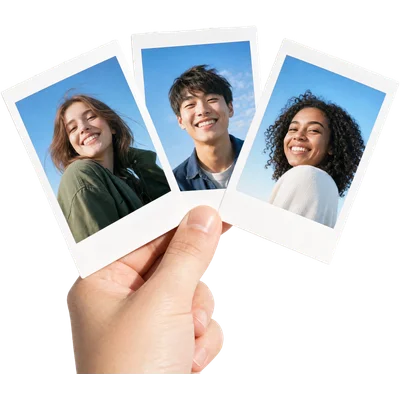
Severalmodels to try
Learn more about several models to try
Photos intoa video
Learn more about photos into a video
Who it’s for
- PhotoVideo
Online shops
Product photos you already have, turned into short clips for product pages and ads without a video shoot.
- PhotoVideo
Photographers and artists
Give a portfolio piece or an illustration a few seconds of motion for social posts and showreels.
- PhotoVideo
Families and memories
An old family photo or a holiday picture brought to life for an anniversary, a birthday or a memorial.
Frequently asked questions
What is image to video AI?
A video model that takes a still image as the first frame and generates the motion that follows, guided by a description of what should move.
What kind of images work best?
Clear, well-lit images with one main subject. Product shots, portraits and landscapes all work, from photos or generated images.
Will it change my product or face?
The image is kept as the opening frame and the model is told to hold its details. Compare takes and keep the one that stays truest.
Can I animate old photos?
Yes. Upload a scan of an old photo and describe a gentle motion, like a smile or the camera moving slowly in.
How long is each clip?
A few seconds per generation. Animate several images and cut them together on the timeline for a longer video.
One prompt in.
Real work out.
Bring a photo to life, keeping it as the first frame.
EverAsk on your phone and your Mac
EverAsk for iPhone
Brief the cut on the train, approve the plan, and watch it render. Every video you make here is on your phone.
Download on the App Store

EverAsk for Mac
Video on your desktop, with the product photos and footage you already have to hand.
Download for macOS