Kling AI
Kling clips land on a timeline, ready to edit.
One prompt, one take
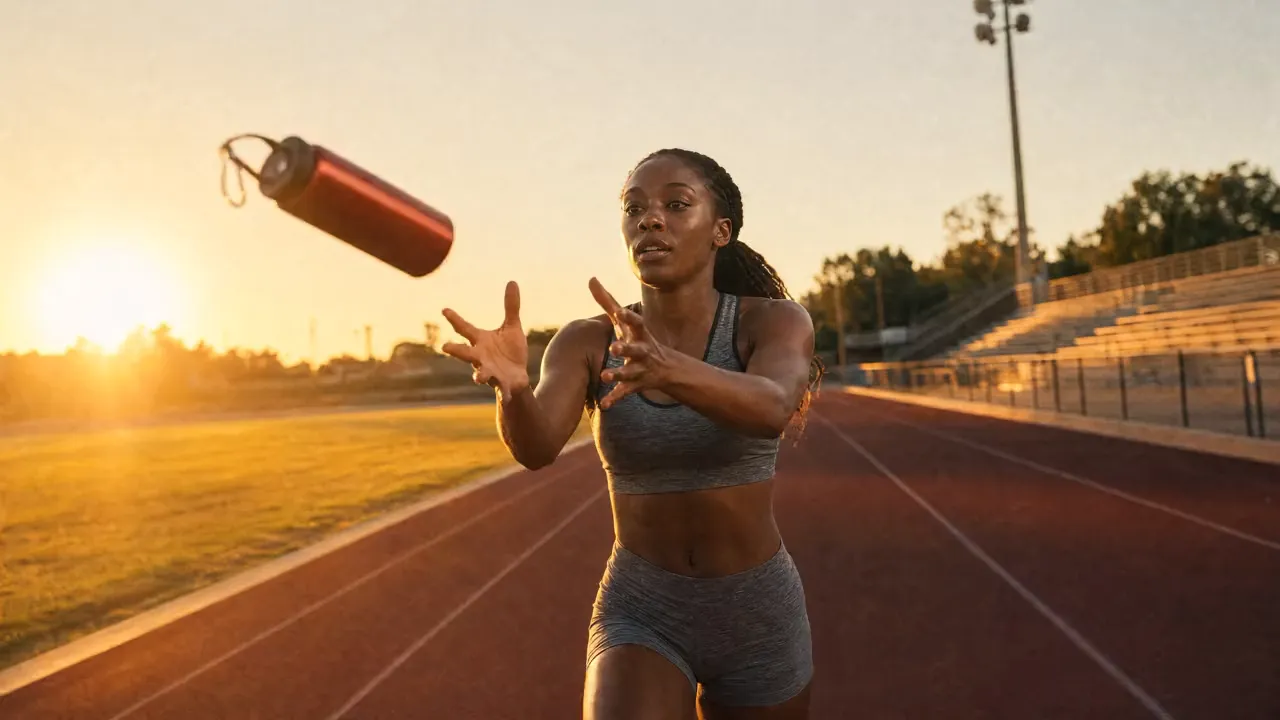
Describe the shotDynamic sports ad on film: the runner catches the tossed vermilion water bottle mid-stride at sunrise and keeps running down the track, golden light, camera tracking alongside. Fine grain, no text, no cuts.
- 1Step 1
Add a reference
- 2Step 2
Write the shot
- 3Step 3
Generate with Kling
Who it’s for
Short-form social
Vertical clips with people and real movement in them, generated, captioned and exported from one place.
Product and lifestyle shots
Bring a still product photo to life, or show the product being used, for a feed ad or a landing page hero.
Storyboards and previs
Block out scenes to agree action and pacing before a shoot or an animation budget is committed.
Kling at a glance: six things to know
Kling is Kuaishou's video model. Write a shot or start from a still, and it films a short take with natural movement, strongest on people in motion. In EverAsk it sits beside the other video models, so you can run one prompt on each and keep the best take. The sample clips on this page come from EverAsk's own reel, made with Seedance 2.5.
- Kuaishou
- Kling is Kuaishou's video model, in EverAsk beside the others
- 5 or 10s
- Short single takes, ready to sequence on the timeline
- 1080p
- Full HD takes, ready to post or cut
- 2 inputs
- Start from a written shot, or animate a still
- 3 shapes
- Widescreen, vertical and square, from one prompt
- People
- Bodies, hands and faces that hold together in motion

Frequently asked questions
Do I need a separate Kling account?
No. Kling runs on your EverAsk plan alongside the other video models, on one bill.
Can I animate my own image?
Yes. Upload a still and Kling uses it as the first frame, with the motion and camera move you describe.
How long are Kling clips?
Each generation is a short clip. Sequence several on EverAsk's timeline, with audio and captions, to build a longer finished video.
How does Kling compare with other video models?
It is a strong choice for shots with people and natural movement. Run the same prompt across several models in EverAsk and judge the takes yourself.
Can I use the videos commercially?
Videos you generate are yours to use, subject to the model provider's terms of service.
EverAsk on your phone and your Mac
EverAsk for iPhone
Run the same shot on every video model on the train, and pick the winner on your phone. Every clip you make here is on your phone.
Download on the App Store

EverAsk for Mac
Every video model on your desktop, with the stills and footage you already have to hand.
Download for macOS