Luma AI
Generate with Luma, then trim, caption and export in one place.
One prompt, one take
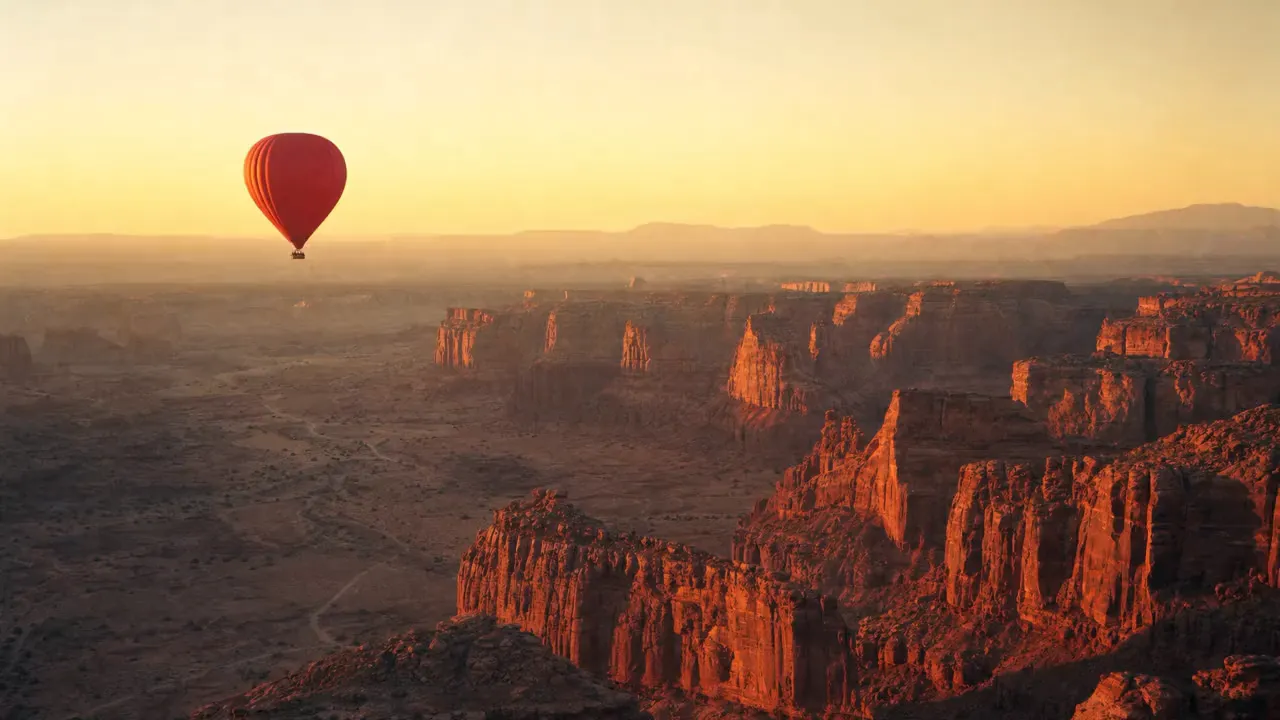
Describe the shotSlow drone drift forward over the canyon. The red balloon floats gently and rises a little, the burner flickers, warm haze shimmering over the rock. 35mm film look, no cuts.
- 1Step 1
Add a reference
- 2Step 2
Write the shot
- 3Step 3
Generate with Luma
Who it’s for
Social video
Short cinematic clips for vertical feeds, generated and cut in one sitting.
B-roll and establishing shots
Fill the gaps in an edit with footage you could not shoot or license.
Pitch and concept films
Show a mood and a direction to a client before anyone commits to a production budget.
Luma at a glance: six things to know
Luma is the AI lab behind Dream Machine and the Ray video models; its newest, Ray3, reasons about a shot before it renders and can output HDR. In EverAsk it sits beside the other video models, so you can run one prompt on each and keep the best take. The sample clips on this page come from EverAsk's own reel, each marked with the model that made it.
- Luma
- Luma AI's video models, in EverAsk beside the others
- Ray3
- The newest release, with reasoning and 16-bit HDR
- 1080p
- Up to full HD, ready to post or cut
- Keyframes
- Start and end frames, with the motion filled in
- Draft
- Quick first passes, then the full render
- 3 shapes
- Widescreen, vertical and square, from one prompt

Frequently asked questions
Do I need a separate Luma subscription?
No. It runs on your EverAsk plan alongside the other video models, billed once.
Can I animate my own image?
Yes, supply a still and Luma uses it as the opening frame, with camera movement you specify.
How long can generated clips be?
Individual generations are short by design. EverAsk's timeline lets you sequence several into a longer finished piece.
Can I compare it with other video models?
Yes. Run one prompt across several and review the takes side by side before choosing.
Can I add sound?
Yes: music, sound effects, a generated or uploaded voiceover, and captions timed to the audio.
EverAsk on your phone and your Mac
EverAsk for iPhone
Run the same shot on every video model on the train, and pick the winner on your phone. Every clip you make here is on your phone.
Download on the App Store

EverAsk for Mac
Every video model on your desktop, with the stills and footage you already have to hand.
Download for macOS