Runway AI
Runway shots next to every other model, on one timeline.
One prompt, one take
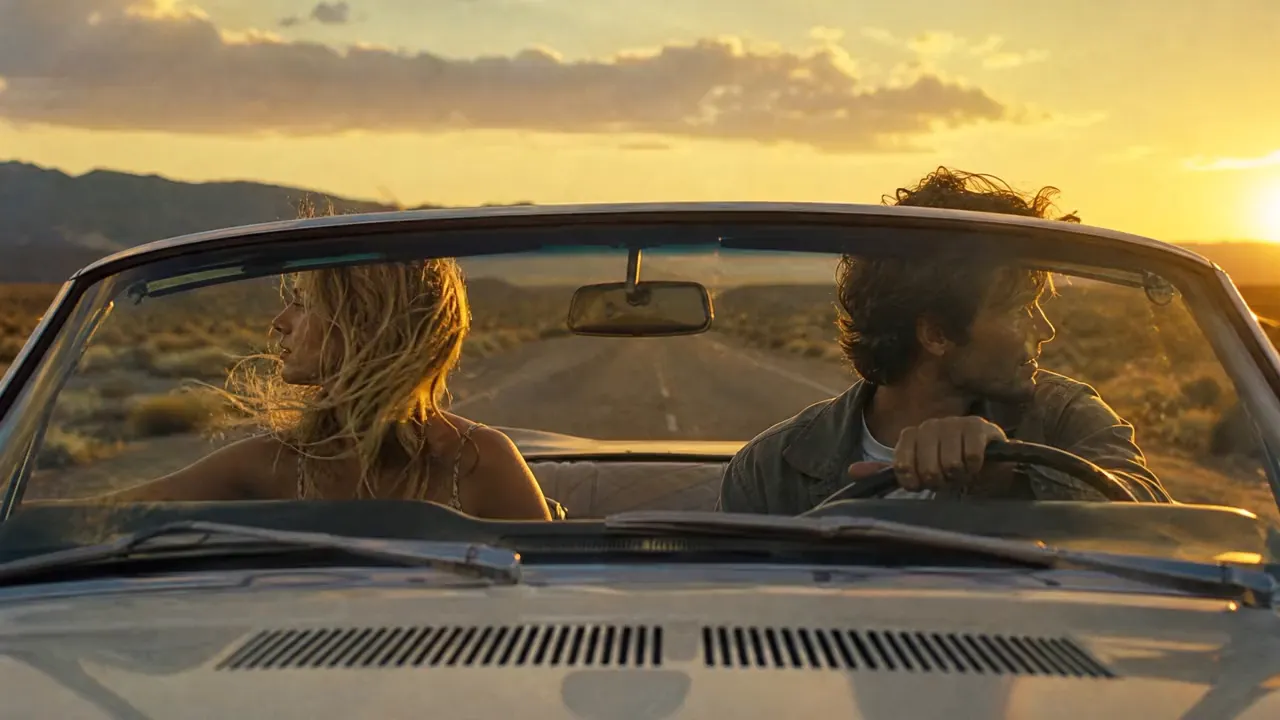
Describe the shotThe car speeds along the desert road at sunset, her hair blowing, the camera tracking alongside. No cuts.
- 1Step 1
Add a reference
- 2Step 2
Write the shot
- 3Step 3
Generate with Runway
Who it’s for
Filmmakers and editors
Shots a scene is missing, from establishing views to inserts, generated to match the footage around them.
Brand and ad studios
Campaign concepts in motion for a client review, before a production budget is signed off.
Music and fashion visuals
Stylised, moving images for a release, a lookbook or a show, cut to the track in the same edit.
Runway at a glance: six things to know
Runway is the AI video company behind the Gen models; its newest, Gen-4, keeps one character the same from shot to shot. In EverAsk it sits beside the other video models, so you can run one prompt on each and keep the best take. The sample clips on this page come from EverAsk's own reel, each marked with the model that made it.
- Runway
- Runway's video models, in EverAsk beside the others
- 10s
- Takes of 5 or 10 seconds, ready to sequence
- Gen-4
- The newest release holds a character across shots
- 2 inputs
- Start from a written shot, or animate a still
- Camera
- Pans, orbits and push-ins, written into the prompt
- 3 shapes
- Widescreen, vertical and square, from one prompt

Frequently asked questions
Do I need a separate Runway account?
No. Runway runs on your EverAsk plan alongside the other video models, on one bill.
Can I start from an image?
Yes. Upload a still and use it as the starting frame or as a reference for the subject and the look.
How long are Runway clips?
Each generation is a short clip. Sequence several on EverAsk's timeline, with audio and captions, to build a longer video.
How does Runway compare with other video models?
It is a strong choice for cinematic camera work. Run one prompt across several models in EverAsk and judge the takes yourself.
Can I use the videos commercially?
Videos you generate are yours to use, subject to the model provider's terms of service.
EverAsk on your phone and your Mac
EverAsk for iPhone
Run the same shot on every video model on the train, and pick the winner on your phone. Every clip you make here is on your phone.
Download on the App Store

EverAsk for Mac
Every video model on your desktop, with the stills and footage you already have to hand.
Download for macOS