Veo 3
Picture and sound from one prompt, cut into a finished piece.
One prompt, one take
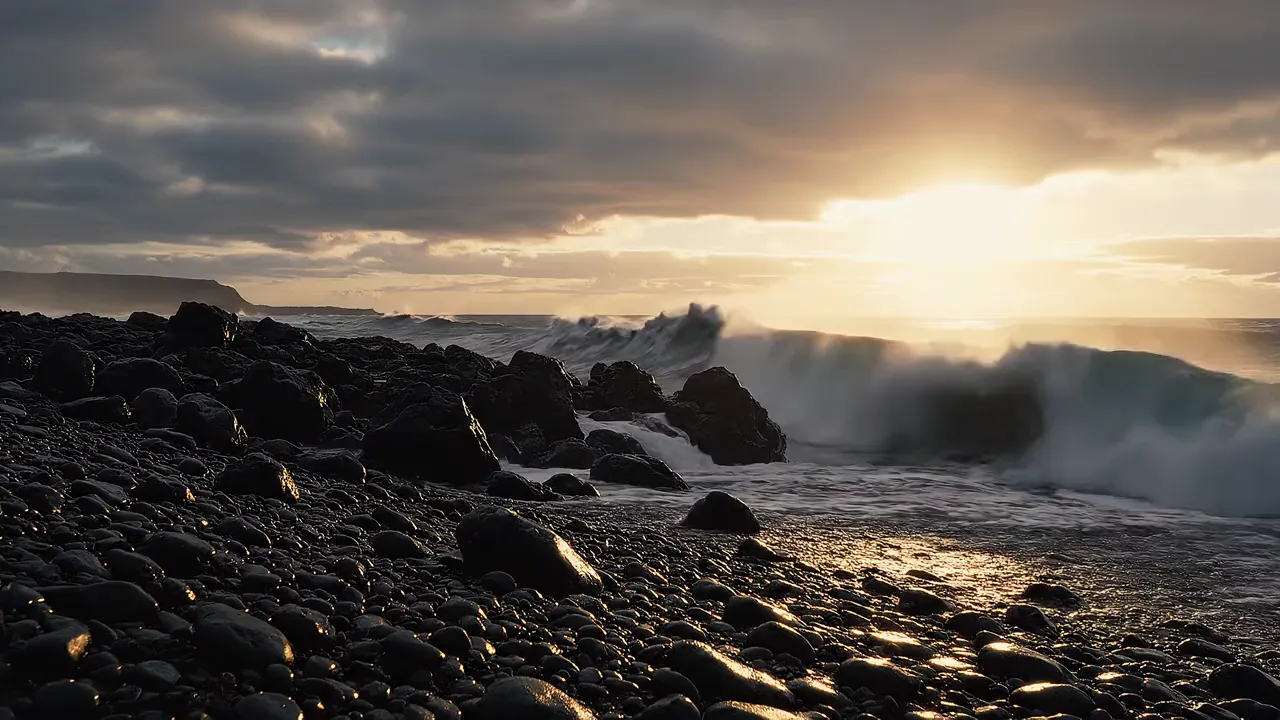
Describe the shotCinematic 35mm film. Heavy waves roll in and crash over black volcanic rocks on an Icelandic beach at dusk, white spray bursting high, the low sun breaking through grey clouds. Low, locked-off camera close to the water. Audio: the deep roar of the surf, the hiss of foam pulling back over the pebbles, gusting wind.
- 1Step 1
Add a reference
- 2Step 2
Write the shot
- 3Step 3
Generate with Veo 3
Who it’s for
Ads and social spots
Short clips with sound already in place, cut and captioned for each feed from a single edit.
Concept films and pitches
Show a client how a scene looks and sounds before anyone commits a production budget to it.
Scenes you cannot shoot
Establishing shots, weather, crowds and locations that would cost a shoot day, generated with ambience to match.
Veo at a glance: six things to know
Veo is Google's video model. Veo 3 made picture and sound in one pass; Veo 3.1, the release EverAsk runs, adds reference images and first and last frames. Write the shot and the sound, and it films a take with dialogue, effects and ambience. In EverAsk it sits beside the other video models, so you can run one prompt on each and keep the best take.
- Veo is Google DeepMind's video model, in EverAsk beside the others
- 8s
- Eight-second takes, ready to sequence on the timeline
- 1080p
- Full HD and up, ready to post or cut
- Sound
- Dialogue, effects and ambience from the same prompt
- 2 inputs
- Start from a written shot, or animate a still
- 3.1 next
- Veo 3.1 adds reference images and first and last frames

Frequently asked questions
Do I need a separate Veo 3 account?
No. Veo 3 runs through your EverAsk plan alongside the other video models, on one bill.
Does Veo 3 generate audio?
Yes. Clips can come with ambience, effects and speech generated with the picture. Keep that sound, mix it under music or replace it on the timeline.
Can I start from an image?
Yes. Supply a still and Veo 3 uses it as the starting point for the motion you describe.
How long can a video be?
Each generation is a short clip. Sequence several on EverAsk's timeline with music, voiceover and captions to build a longer piece.
Can I use the videos commercially?
Videos you generate are yours to use, subject to the model provider's terms of service.
EverAsk on your phone and your Mac
EverAsk for iPhone
Run the same shot on every video model on the train, and pick the winner on your phone. Every clip you make here is on your phone.
Download on the App Store

EverAsk for Mac
Every video model on your desktop, with the stills and footage you already have to hand.
Download for macOS