Out of office message generator
Your dates and a backup contact in, a clear away message out.



- About 20 secondsfrom pressing send to the message saved in Gmail, in the run shown on this page
- 4 ready messageson this page to copy, for holidays, sick days, trips and leave
- Every planincludes Gmail, so there is nothing extra to buy
- Google's sign-inyou connect Gmail on Google's own secure page
Watch EverAsk do it
This is the real run from this page, played back step by step in EverAsk.
- 1You ask in your own words
- 2EverAsk does the work
- 3The message waits in Gmail
Replayed at an easy pace to follow. The words are exactly what EverAsk wrote.
A replay of EverAsk at work. The request typed was: Write an out-of-office message for me and save it to my Gmail drafts so I can copy it into Gmail's vacation responder. Don't send it. I'm away from Monday 21 December and back on Monday 4 January, with no access to email. For anything urgent, people can call my colleague Mark Evans on 0161 496 0000. Keep it warm and short, and sign it Susan. EverAsk then worked through 6 steps and replied. The draft "Out of office — away 21 December, back Monday 4 January" was saved in Gmail, not sent.
How it works
Three steps, and the last one is done in Gmail's own settings.
- 1
Say when you're away
Your dates, whether you'll read email at all, and who people can contact instead. Everyday words are fine.
What do you want to create?Write an out-of-office message for me and save it to my Gmail drafts so I can copy it into Gmail's vacation responder. Don't send it. I'm away from Monday 21 December and back on Monday 4 January, with no access to email. For anything urgent, people can call my colleague Mark Evans on 0161 496 0000. Keep it warm and short, and sign it Susan.Flash - 2
EverAsk writes the message
A short, warm message with the day you're back and who to contact. It's saved in your Gmail drafts, so it's there when you need it.
Done — it's sitting in your Gmail drafts, unsent. Here's the text:
Subject: Out of office — away 21 December, back Monday 4 January
Thank you for your email. I'm away from Monday 21 December until Monday 4 January, and I won't have access to email while I'm gone, so please excuse the slow reply — I'll get back to you as soon as I'm in.
Follow up
Can you add a friendly holiday greeting to the draft?How do I set the vacation responder to activate automatically on those dates? - 3
Paste it into Gmail and switch it on
In Gmail's settings, turn on the vacation responder, set your first and last day, paste the message and save. Gmail answers for you while you're away.
Vacation responder:(sends an automated reply to incoming messages)Vacation responder off
Vacation responder on
First day:December 21, 2026Last day:January 4, 2027Subject:Out of office — away 21 December, back Monday 4 JanuaryMessage:Only send a response to people in my Contacts
Save ChangesCancel
A real example
This is exactly what EverAsk wrote from one short request.
What was typed
What landed in Gmail
Thank you for your email. I'm away from Monday 21 December until Monday 4 January, and I won't have access to email while I'm gone, so please excuse the slow reply — I'll get back to you as soon as I'm in.
If something really can't wait, do call my colleague Mark Evans on 0161 496 0000 and he'll be happy to help.
Wishing you a warm and restful festive season.
Best wishes,
Susan
Ready-made messages to copy
EverAsk wrote these four from one request. Copy one, fill in the words in [square brackets], and paste it into Gmail.
Holiday
Thanks for your email. I'm away on holiday from [start date] until [end date] and will have limited access to email. For anything urgent, please contact [colleague's name] at [email/phone]. Otherwise, I'll reply as soon as I'm back. — [Your name]
Sick day
Thanks for your message. I'm off sick today, [date], and may be slow to reply. If it's urgent, please reach [colleague's name] at [email/phone] and they'll help. I'll get back to you as soon as I'm well. — [Your name]
Work trip or conference
Thanks for your email. I'm at [conference/event] in [location] from [start date] to [end date], so replies may be delayed. For anything time-sensitive, please contact [colleague's name] at [email/phone]. I'll follow up when I'm back. — [Your name]
Parental leave
Thanks for your email. I'm on parental leave until [return date] and won't be checking email during this time. For anything urgent, please contact [colleague's name] at [email/phone]. I look forward to catching up when I return. — [Your name]
What a good away message says
- When you're away, and the day you're back
- Whether you'll read email while you're gone
- Who to contact for anything urgent, and how
- A thank you, and your name
How to switch it on in Gmail
- Open Gmail on your computer and click the Settings gear at the top right.
- Click See all settings.
- Stay on the General tab and scroll down to Vacation responder.
- Choose Vacation responder on and set the First day and Last day.
- Paste the subject and the message.
- Scroll to the bottom and click Save Changes.
What you get every time
Everything people need
The day you're back, whether you're reading email, and who to contact, in a few friendly lines.
The right tone
Warm for clients, brief for colleagues. Ask for a different tone in one line and it rewrites it.
It sounds like you
EverAsk follows your usual greeting and sign-off, so the away message reads like you wrote it.
For every kind of time off
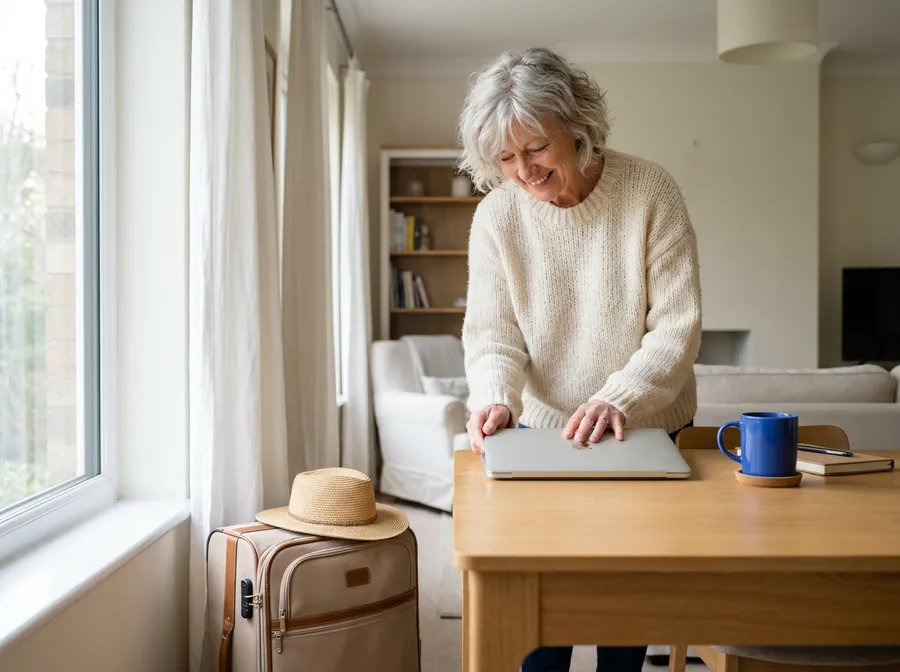
Holidays and time off
Let clients and colleagues know when you are back and who is covering, before you close the laptop.

Sick days
A short, calm note you can switch on from the sofa, with someone to contact if it cannot wait.

Work trips and events
Tell people you are at a conference or on the road and replies may be slower than usual.
Is it safe?
Yes. You stay in charge of your email the whole time.
It only writes drafts
EverAsk saves the message in your Gmail drafts for you to copy. It sends nothing on its own.
You switch it on yourself
You paste the message into Gmail and choose the dates, so you always know what people will receive.
Your emails stay private
Your email is used to write your message and nothing else. It is not used to train AI. Disconnect whenever you like.
Gmail
Search your inbox, read threads, and stay on top of email.
Tools permission
Choose when EverAsk is allowed to use these tools.
- Create email draft
- Update Vacation Settings
- Send Email
In EverAsk you choose, one by one, what it may do in your Gmail.
Common questions
Can EverAsk switch it on for me?
EverAsk's Gmail connection includes a vacation settings tool, which you can allow, ask about first or block. The simplest way is shown here: EverAsk writes the message and you paste it into Gmail yourself, which takes about a minute.
Where is the out-of-office setting in Gmail?
Click the Settings gear at the top right of Gmail, then See all settings. On the General tab, scroll down to Vacation responder, switch it on, set your dates, paste your message and click Save Changes.
What should an out-of-office message say?
When you are away, the day you are back, whether you will read email, and who to contact for anything urgent. A thank you and your name finish it off.
Can I have one for work and one for friends?
Yes. Ask EverAsk for two versions and paste whichever suits. Gmail also lets you reply only to people in your Contacts.
Is my email used to train models?
No. Your mail is used to write your message and nothing else. You can revoke Gmail access at any time.

Going away soon?
Connect your Gmail, say when you're away, and paste your message into Gmail in a minute.
Write my away messageNothing is sent without you. Gmail is included in every plan.
EverAsk on your phone and your Mac
EverAsk for iPhone
Chase a thread on the train, approve the draft, and it goes from your own Gmail. Every thread you hand over here is on your phone.
Download on the App Store

EverAsk for Mac
Your inbox on your desktop, with the attachments and quotes you already have to hand.
Download for macOS